Blog

  • Queue Management System in Hospital: The Complete Guide

    Queue Management System in Hospital: The Complete Guide

    Ask any hospital administrator in India what happens between a patient walking in and a patient seeing a doctor, and “queue” undersells it. There’s a registration line, a doctor-wise OPD queue, a pharmacy queue, a lab queue, and a billing queue — often four or five separate waits stitched into one visit, most of them still run on paper tokens or a register. Research on Indian outpatient departments has found average waiting times ranging from about 15.5 minutes in private hospitals to nearly 40 minutes in voluntary-sector hospitals, with real disparities by gender and mode of arrival that a paper token system has no way to even measure, let alone fix.

    At the same time, 2026 is the year hospital check-in stopped being just an operational question. The Ayushman Bharat Digital Mission (ABDM) is pushing hospitals toward ABHA-linked patient records, and the Digital Health Incentive Scheme pays hospitals roughly ₹20 for every OPD registration linked to a patient’s ABHA ID — which means the front-desk or QR check-in moment, the same moment a patient joins the queue, is now also a compliance and incentive moment. And because that check-in step collects a patient’s name, phone number, and visit details, it’s processing personal data under the DPDP Act, 2023, whether the hospital’s queue system was built with that in mind or not.

    This guide covers what a queue management system in a hospital actually needs to do: route patients across departments correctly, cut real wait time (not just claimed wait time), handle patient data the way Indian law expects, and — where a hospital chooses to — make the check-in step do double duty for ABHA linkage.

    Key Takeaways

    • A hospital queue is really several linked queues — registration, doctor-wise OPD, pharmacy, lab, billing — and a queue system needs to route patients across all of them, not manage one line.
    • Indian OPD research has measured average waits from 15.5 minutes (private hospitals) to nearly 40 minutes (voluntary-sector hospitals), with a documented gender gap — women had roughly 19% longer median waits than men after adjusting for other factors.
    • ABDM’s Digital Health Incentive Scheme pays hospitals about ₹20 per OPD registration linked to a patient’s ABHA ID — turning the check-in step into a revenue and compliance moment, not just a comfort feature.
    • A patient’s name, phone number, and visit timestamp collected at queue check-in are personal data under the DPDP Act, 2023 — consent and notice obligations apply the same way they would for any other business.
    • The biggest wait-time win usually isn’t a faster doctor — it’s routing patients so a 5-minute pharmacy pickup doesn’t sit behind a 20-minute consultation in the same line.

    What Is a Queue Management System in a Hospital?

    A queue management system in a hospital is software that lets patients check in digitally (by QR code, kiosk, or pre-booked appointment), routes them into the correct department queue — OPD by doctor, pharmacy, lab, or billing — tracks real-time wait, and logs each stage of the visit for hospital records and reporting.

    A retail or bank queue only has to manage one kind of wait. A hospital visit is a chain of them: a patient might register, wait for a specific doctor’s OPD slot, walk to the pharmacy, wait again, then queue at billing — four separate waits that a single “take a token” system can’t represent at all. A hospital-appropriate queue system needs department and doctor-wise routing built in from the start, so a patient’s position in the pharmacy queue isn’t tied to when they arrived at the hospital, but to when they actually reach that counter.

    The other piece that’s specific to healthcare is the record. Every check-in captures a patient’s name and phone number at minimum, and increasingly a link to their ABHA health ID. That record needs to be accurate, timestamped, and collected with proper notice — both because hospitals are held to a high standard on patient data generally, and because DPDP Act obligations apply the moment that data is collected digitally.

    Key definitions you’ll see throughout this guide:

    • Department/doctor-wise routing: automatically directing a patient into the correct sub-queue — a specific doctor’s OPD, pharmacy, lab, or billing — instead of one blended line.
    • ABHA ID: the Ayushman Bharat Health Account, a 14-digit unique health identifier under ABDM that links a patient’s records across providers.
    • DHIS: the Digital Health Incentive Scheme under ABDM, which pays participating hospitals for ABHA-linked digital health records, including OPD registrations.
    • Personal data (DPDP Act, 2023): any data about an individual who is identifiable by or in relation to that data — a patient’s name, phone number, and visit timestamp all qualify.

    The Patient Journey: Where Hospital Queue Management Actually Fits

    Queue management isn’t just the moment a patient waits at a counter — it spans four stages of a hospital visit: pre-arrival (booking and expectations), arrival (check-in and consent), service (department-wise routing and care), and post-visit (billing, follow-up, and the data left behind). A system that only touches one of these stages is solving a smaller problem than it looks like it is.

    Pre-arrival. Online appointment booking, pre-visit instructions, and — where a hospital participates in ABDM — advance ABHA linkage all happen here. A patient who arrives already registered has a fundamentally different check-in experience than a first-time walk-in.

    Arrival. The check-in moment itself: QR code, kiosk, or front-desk registration. This is also where consent for data use should be captured, and where a patient’s expectations for the visit get set with a realistic wait estimate instead of silence.

    Service. The stage most people picture when they hear “queue management” — doctor-wise OPD, pharmacy, lab, billing. This is where department routing, live wait visibility, and staff call-up matter most, and where most of this guide is focused.

    Post-visit. Often left out of the conversation entirely, but this is where billing queues, prescription pickup, and follow-up appointment booking happen — and where the visit’s data (wait times, no-shows, service durations) becomes something a hospital can actually analyze instead of losing to a paper register.

    Treating queue management as one stage in a four-stage journey, rather than a single line at a single counter, is what separates a system that improves front-desk optics from one that measurably shortens a patient’s total time in the building.

    Why This Matters for Hospitals in India Right Now

    Three things are converging on hospital front-desk operations in 2026: real (not anecdotal) evidence that OPD waits are long and unevenly distributed, a financial incentive under ABDM tied directly to how patients are registered, and a legal obligation under the DPDP Act to handle the data collected at check-in properly.

    Start with the evidence. A study of outpatient waiting time in Indian hospitals found average waits of 20.3 minutes in government hospitals, 15.5 minutes in private hospitals, and 39.71 minutes in voluntary-sector hospitals — and, more strikingly, a consistent gender gap, with women’s median wait time about 19% longer than men’s even after adjusting for other factors. Patients arriving by ambulance waited 64% less than others in the hospitals studied, but that advantage disappeared in public-sector facilities. None of that is visible on a paper token system; it only becomes visible once check-in and wait times are actually logged.

    Then there’s ABDM. Hospitals are being pushed toward ABHA-linked patient records, and the Digital Health Incentive Scheme pays roughly ₹20 per OPD registration linked to a patient’s ABHA ID, with hospitals able to earn meaningful incentive amounts through ABHA linkages and shared health records. That means the check-in step — the same moment a patient joins the queue — is where a hospital either captures that link or misses it.

    Finally, the DPDP Act, 2023 applies the same way it would to any business: a patient’s name and phone number collected to run a queue system is personal data, and the hospital collecting it is acting as a data fiduciary with consent and notice obligations. This is general information, not legal advice — hospitals should have their own compliance or legal team review how patient data is actually captured and used.

    📊 Key Stat: The nearly 40-minute average wait measured in voluntary-sector hospitals versus 15.5 minutes in private hospitals is not a small gap — it’s the difference between a workable OPD morning and one that visibly backs up into the parking lot. A queue system’s first job is making that gap visible by department and doctor, not guessing at it.

    Key Benefits of a Hospital Queue Management System

    The primary benefit is that patients spend measurably less time standing in a hallway, staff get an accurate record of every step of a visit, and the same check-in step can double as ABHA linkage and DPDP-compliant consent capture — three outcomes from one workflow change.

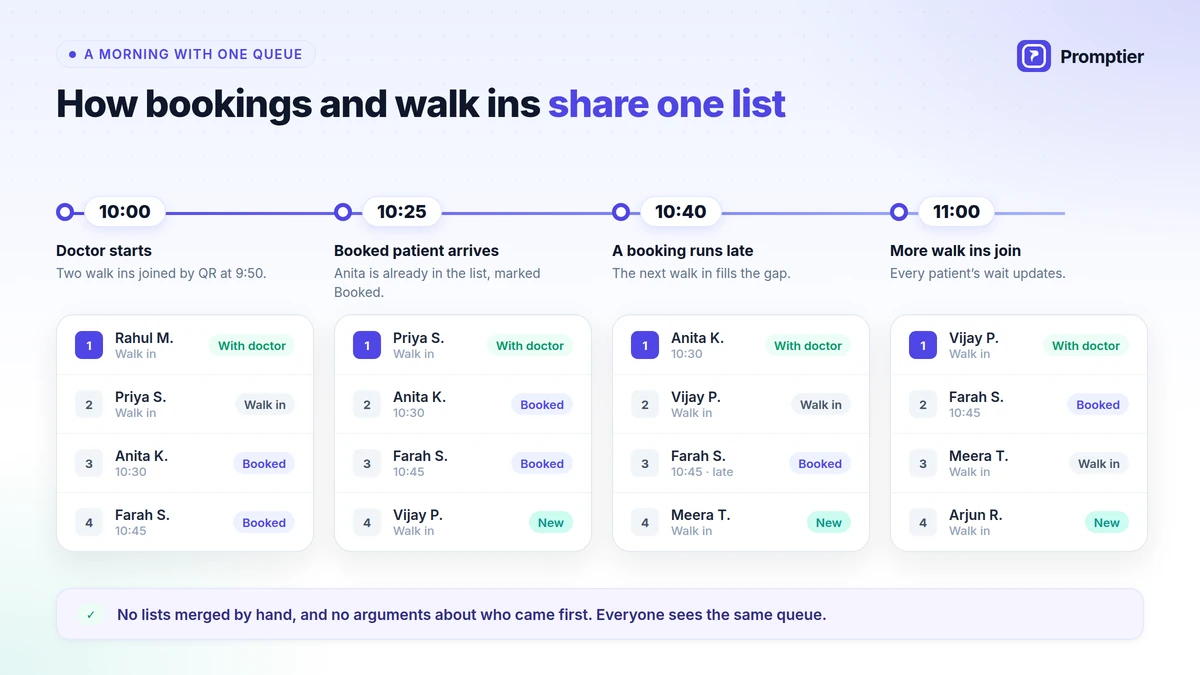
    Shorter, more predictable waits. Routing a 5-minute pharmacy pickup away from a 20-minute consultation queue means the pharmacy patient doesn’t inherit the consultation patient’s wait — a structural fix, not a “hire more staff” fix.

    A visible, defensible record of patient flow. Every check-in, department transfer, and completion is timestamped, so “how long did this patient actually wait for Dr. X” has a real answer instead of a guess.

    A natural point to capture ABHA linkage. The same QR check-in that joins a patient to a queue can prompt for ABHA ID capture, supporting DHIS incentive eligibility without adding a separate administrative step.

    A documented consent step for patient data. Digital check-in is a natural point to show patients what data is collected and why, and to log their consent — turning a DPDP obligation into a normal part of an existing workflow.

    Real visibility into gender and access gaps. Research shows women and non-ambulance patients can wait meaningfully longer in some facilities — a queue system that logs this data is the only way a hospital can actually see and address that pattern instead of assuming it doesn’t exist.

    Fewer crowded waiting areas. A patient who can wait in the parking lot or a nearby seating area instead of standing in a packed OPD corridor is both more comfortable and easier for staff to manage.

    Cleaner multi-department reporting. Administrators can see OPD, pharmacy, lab, and billing wait times separately instead of one blended average that hides where the real bottleneck is.

    Real relief for front-desk and clinical staff, not just patients. Staff spend less time fielding “how much longer” questions and re-explaining delays — a daily friction reduction that’s real even though it’s harder to put a single number on than a headline wait-time claim.

    A defensible ROI story instead of an unlabeled percentage. A lot of global vendor content cites impressive-sounding numbers — wait time cut from two hours to fifteen minutes, “up to 30%” productivity gains — without saying which hospital, what specialty, or how it was measured. This guide leans on independently published Indian OPD research instead, because a number you can trace to a study is worth more to a buying decision than a number you can’t.

    Comparison of manual hospital token counters versus digital OPD queue management
    DimensionManual Token / RegisterDigital Hospital Queue
    Department routingOne line per counter, manually managedOPD/pharmacy/lab/billing routed automatically
    Wait-time visibilityAnecdotal, department by departmentLogged and comparable across departments
    ABHA linkageA separate administrative step, if done at allCaptured at the same check-in moment
    Consent for patient dataNot collectedCaptured at check-in, logged
    Equity visibilityInvisibleMeasurable (e.g., wait time by patient group)
    ROI evidenceAnecdotal or unsourced vendor claimsGrounded in independently published research

    💡 Pro Tip: If your OPD can only fix one thing first, fix doctor-wise routing before anything else. It’s the change most likely to show up as a real, measurable drop in average wait — before you touch consent flows or ABHA integration.

    How It Works: The Hospital Queue Journey

    A hospital-appropriate queue system runs a four-stage flow: a patient checks in (QR code, kiosk, or pre-booked appointment, with optional ABHA capture), the system routes them into the right department queue, they wait with a live position and consented SMS updates, and each stage is logged when completed.

    Workflow diagram of a hospital queue from patient check-in through department routing to service completion

    Stage 1: Join

    Input: A walk-in patient at registration, or a patient who pre-booked an OPD appointment online.

    Process: The patient scans a QR code or checks in at a kiosk, is shown a clear consent notice for SMS/data use, and — where the hospital participates in ABDM — is prompted to link or verify their ABHA ID.

    Output: A queue ticket with a position, an estimated wait, a logged consent record, and (optionally) an ABHA-linked registration.

    Stage 2: Route

    Input: The patient’s stated purpose — a specific doctor’s OPD, pharmacy pickup, lab test, or billing.

    Process: The system places the patient into the correct department sub-queue instead of one blended line.

    Output: A correctly-ordered queue per doctor or department, instead of one line covering every kind of visit.

    Stage 3: Wait & Notify

    Input: The patient’s live position within their department queue.

    Process: Position and estimated wait update continuously; an SMS notification fires as their turn nears, so patients aren’t stuck standing in a corridor.

    Output: A patient who returns to the right counter right as their turn arrives, and a waiting area that isn’t overcrowded.

    Stage 4: Serve & Log

    Input: The patient’s arrival at the counter or consultation room, and the staff member or doctor assigned.

    Process: Staff calls the patient, the visit stage is completed, and the system logs the full timeline — check-in time, department, wait duration, and completion time.

    Output: A timestamped record that feeds both the hospital’s operational dashboard and (where relevant) ABDM/DHIS reporting.

    StageCadenceOwnerTypical Tooling
    JoinContinuousPatient (self-service) or front deskQR code, kiosk, booking link, consent notice
    RouteAutomatedSystemDoctor/department sub-queues
    Wait & NotifyContinuousSystemLive position, SMS alert
    Serve & LogPer visitStaff/doctorCounter or room call-up, timestamped record

    Best Practices for Hospital Queue Management

    The single most impactful practice is routing by doctor and department before optimizing anything else — most of the wait-time gap in Indian OPD research traces back to blended queues, not slow individual service.

    Route by doctor, not just by department. Before: one OPD line for every doctor in a specialty. After: each doctor has a visible sub-queue, so patients can see a realistic wait tied to the specific doctor they’re seeing.

    Separate quick transactions from long ones. Before: a 5-minute pharmacy pickup waits behind a 20-minute consultation follow-up in one shared line. After: pharmacy, lab, and billing each get their own queue.

    Capture ABHA linkage at check-in, not as an afterthought. Before: ABHA linkage is a separate desk or process patients often skip. After: it’s offered at the same QR check-in moment as joining the queue, supporting DHIS incentive eligibility without extra patient effort.

    Make consent part of check-in, not implied. Before: a phone number collected with no record of consent. After: a clear, logged consent step built into digital check-in.

    Track wait time by patient group, not just overall. Before: one average wait time hides real gaps. After: administrators can see if certain patient groups are waiting meaningfully longer, and investigate why.

    Review department-level data on a fixed schedule. Before: wait-time complaints are the only signal anyone acts on. After: a weekly look at OPD, pharmacy, lab, and billing wait times catches a building problem before it becomes a complaint pattern.

    ⚠️ Watch Out: The most common mistake isn’t picking the wrong queue software — it’s rolling it out only at the main registration desk and leaving pharmacy, lab, and billing on paper. The consultation might get faster while the patient’s total visit time barely changes, because the bottleneck just moved downstream.

    ConditionRecommended ActionExpected Outcome
    One blended OPD line for multiple doctorsRoute by individual doctorPatients see a realistic, doctor-specific wait
    Quick transactions (pharmacy, billing) stuck behind long onesGive each department its own queueTotal visit time drops without adding staff
    ABHA linkage handled as a separate stepOffer it at the same check-in moment as queue joinHigher ABHA linkage rate, DHIS incentive support
    No visibility into wait-time gaps by patient groupTrack and review wait time by groupEquity issues become visible and addressable

    Common Challenges and How to Solve Them

    The most common challenge is treating the front desk as the only place that needs a digital queue, while pharmacy, lab, and billing stay on paper — which means the total patient visit time barely improves even after registration gets faster.

    Challenge: Only Registration Gets Digitized

    Hospitals often start (and stop) with a digital token at the main desk, leaving downstream departments unchanged. Solution: roll out department-level queues in phases, but commit to covering pharmacy, lab, and billing within a defined timeline, not indefinitely.

    Challenge: Elderly or Less Digitally-Comfortable Patients Struggle with QR Check-In

    Not every patient can or wants to use a phone to join a queue. Solution: keep a staffed kiosk or front-desk option alongside QR check-in — digital-first doesn’t have to mean digital-only.

    Challenge: ABHA Linkage Feels Like Extra Work at a Busy Desk

    Front-desk staff under time pressure may skip offering ABHA linkage even when the queue system supports it. Solution: build it into the same check-in flow as queue joining, so it’s a checkbox, not a separate errand.

    Challenge: Consent Language Gets Copied From a Generic Template

    A generic “I agree” checkbox may not meet the DPDP Act’s standard for clear, informed, affirmative consent, and healthcare data warrants particular care. Solution: have the hospital’s compliance or legal function review the actual consent notice shown at check-in.

    Challenge: Doctors Resist Visible Wait-Time Data

    A doctor may see published wait-time data as a personal performance metric rather than an operational signal. Solution: frame department-level data around patient flow and staffing decisions, not individual doctor speed, and involve clinical leadership in how the data is used.

    Real-World Scenarios

    These are illustrative scenarios based on common patterns across hospital OPD operations in India, not case studies of named institutions.

    Government hospital OPD, high daily volume. A government hospital OPD running purely on paper tokens had no way to see that its average wait, closer to the 20-minute range typical of public facilities, was concentrated in two specialties during morning hours. After introducing doctor-wise digital queuing, administrators could see the actual bottleneck by specialty and adjust which doctors saw patients during the peak window, rather than assuming the whole OPD needed more staff.

    Private multi-specialty hospital, ABDM rollout. A private hospital participating in ABDM found ABHA linkage rates were low because front-desk staff treated it as a separate, optional step during a busy morning. Folding ABHA capture into the same QR check-in flow as queue joining lifted linkage rates without adding a new counter or a new step for patients.

    Diagnostic and lab department. A hospital’s lab department shared a waiting area with OPD consultation patients, so a 10-minute blood draw regularly waited behind a 25-minute consultation follow-up. Giving the lab its own queue, separate from OPD consultations, shortened lab wait times without touching consultation scheduling at all.

    💡 Pro Tip: In each scenario, the fix was structural — separate the queue by department or specialty, and fold compliance steps into the existing check-in flow — rather than simply asking staff to move faster.

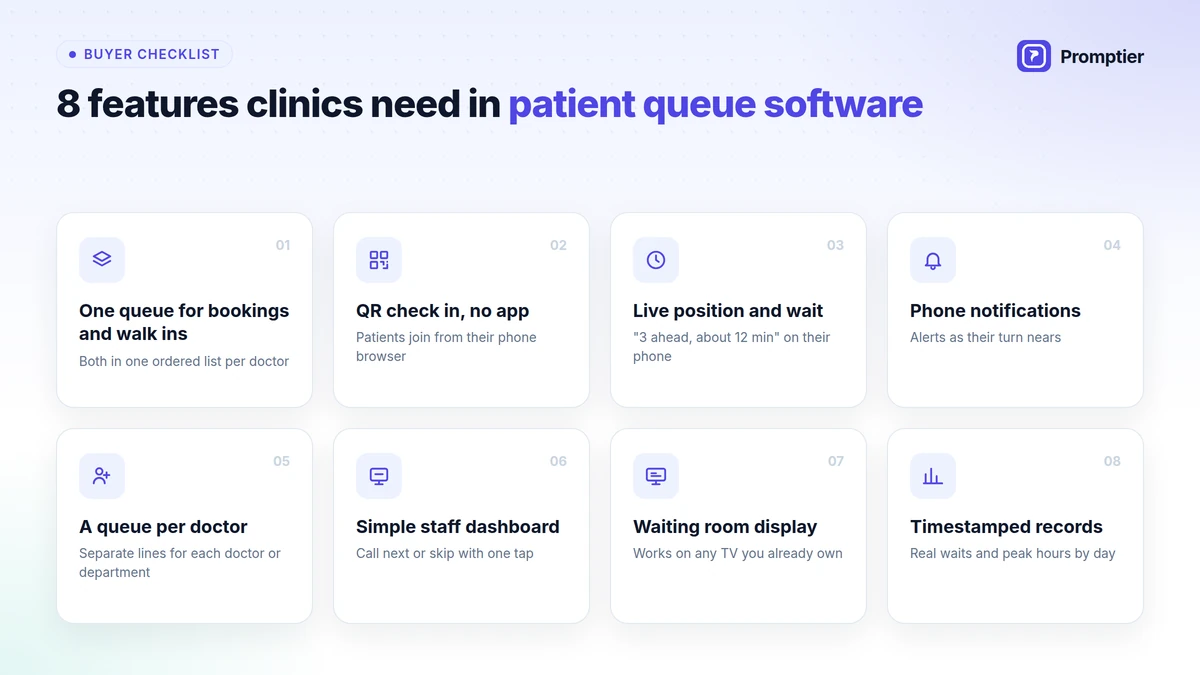
    8 Features to Look for in a Hospital Queue Management System

    Doctor/department-wise routing and DPDP-ready consent capture matter most, because these are the two things a generic retail queue tool is least likely to handle correctly for a hospital.

    Doctor and department-wise routing. Definition: automatically sorting patients into the correct doctor’s OPD, pharmacy, lab, or billing sub-queue. Why it matters: prevents quick transactions from waiting behind long consultations. Look for: configurable routing per doctor or department, not just per counter.

    ABHA-ready check-in. Definition: the ability to prompt for or verify a patient’s ABHA ID at the same moment they join the queue. Why it matters: supports DHIS incentive eligibility without a separate administrative step. Look for: check-in flows that can capture or link ABHA ID inline.

    DPDP-ready consent capture. Definition: a check-in step that records clear, affirmative consent for SMS/data use. Why it matters: patient data carries particular sensitivity, and a logged consent record is real protection, not just a checkbox. Look for: a visible, logged consent notice at check-in.

    Real-time wait display. Definition: a lobby or waiting-area screen showing live queue status per department. Why it matters: visible progress reduces how long a wait feels, even when the actual wait doesn’t change. Look for: displays that work on existing TVs or tablets.

    SMS notifications. Definition: automated alerts as a patient’s turn nears. Why it matters: lets patients wait outside a crowded corridor and return on time. Look for: configurable timing per department (a pharmacy alert and an OPD alert don’t need the same lead time).

    Patient flow analytics. Definition: reporting on wait time, volume, and no-show rate by department and doctor. Why it matters: turns anecdotal complaints into an actual operational signal. Look for: reporting granular enough to separate departments, not one blended average.

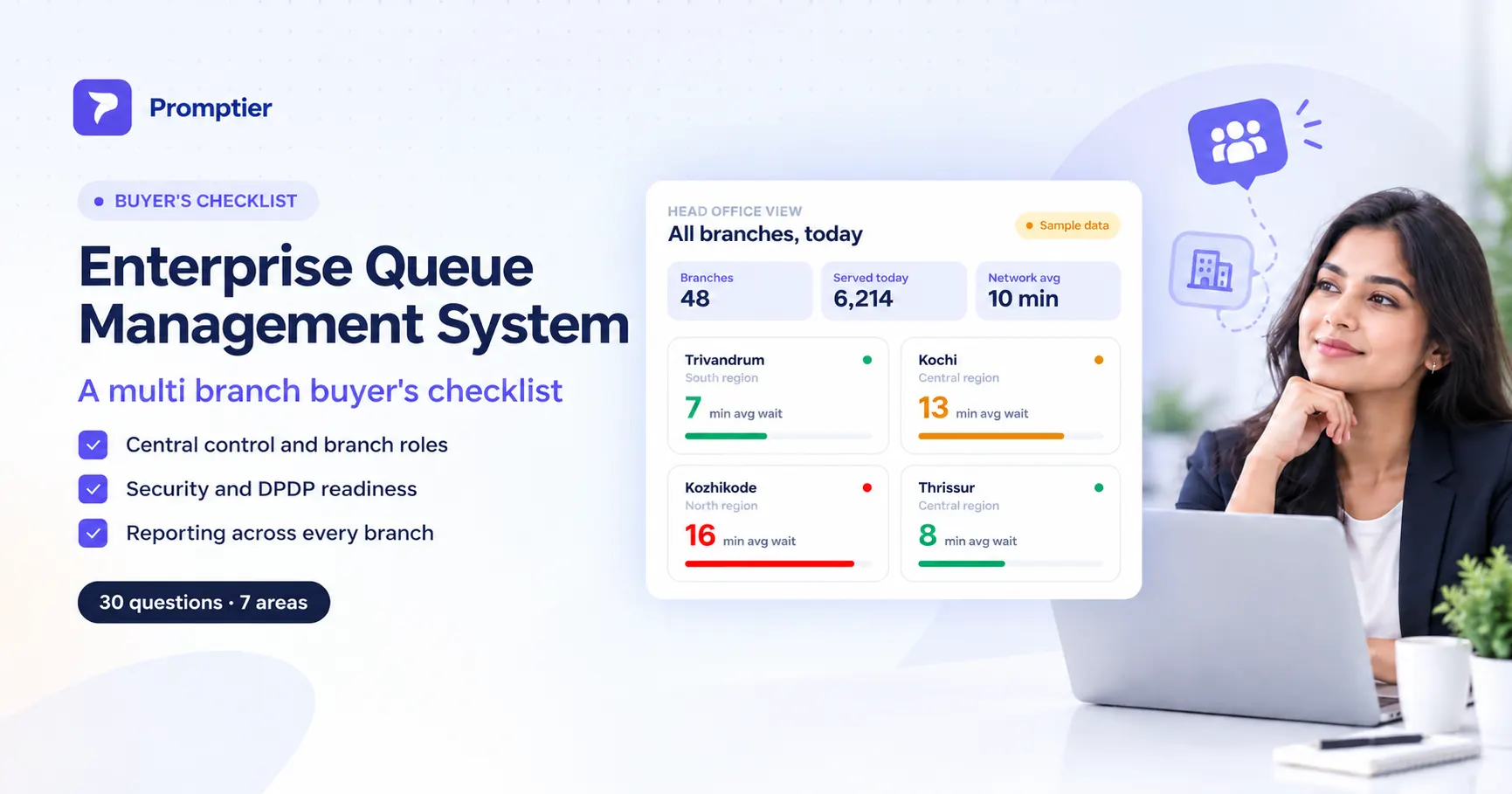
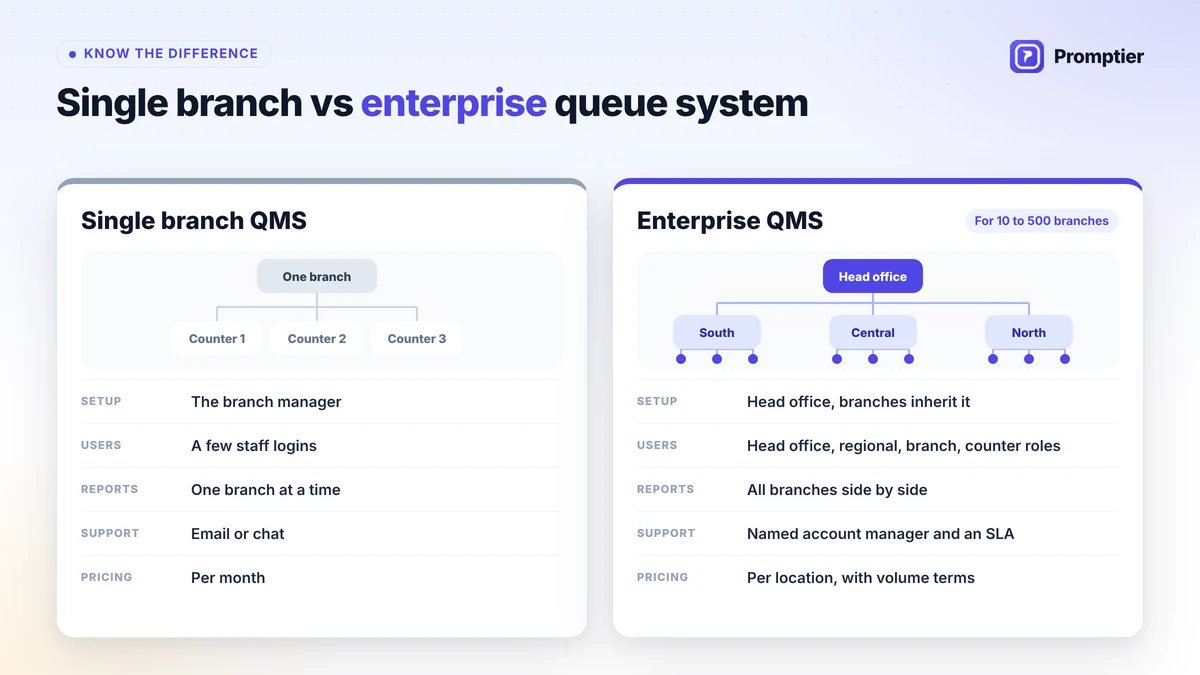
    Multi-branch dashboard for hospital chains. Definition: one view across multiple hospital locations. Why it matters: lets a chain compare OPD performance across facilities. Look for: role-based access so facility and group-level staff see what’s relevant to them.

    IST business-hours support. Definition: vendor support available during Indian business hours. Why it matters: a queue system going down during a busy OPD morning needs a fast, same-timezone response. Look for: a stated support SLA in IST.

    Infographic checklist of 8 features to look for in a hospital queue management system
    FeatureWhat It DoesWhy It Matters for HospitalsLook For
    Doctor/department routingSorts patients into correct sub-queuesPrevents quick visits waiting behind long onesConfigurable per doctor/department
    ABHA-ready check-inCaptures/links ABHA ID at joinSupports DHIS incentive eligibilityInline capture, no separate step
    DPDP-ready consentLogs clear consent at check-inLawful processing of patient dataVisible, logged consent notice
    Real-time wait displayShows live queue status publiclyLowers perceived wait timeWorks on existing screens
    SMS notificationsAlerts patients as turn nearsFrees patients from crowded corridorsConfigurable per department
    Patient flow analyticsReports wait/volume/no-showsTurns complaints into operational dataDepartment-level granularity
    Multi-branch dashboardOne view across hospital locationsCross-facility comparisonRole-based access
    IST business-hours supportSame-timezone vendor supportFast response during OPD peak hoursA stated support SLA

    Risks and Pitfalls

    The highest-severity risk is digitizing the front desk while leaving downstream departments on paper — patients notice a faster check-in but not a shorter total visit, and the project gets blamed for not working.

    Digitizing only the entry point. A faster registration step doesn’t help if pharmacy, lab, and billing are still unmanaged lines. Plan department coverage from the start, even if rollout is phased.

    Treating ABHA linkage as separate from queue check-in. Two different steps at two different counters means lower linkage rates and more patient friction than folding it into one flow.

    Weak consent language. A checkbox that exists but doesn’t meet the DPDP Act’s standard for clear, informed, affirmative consent offers limited real protection — have the actual notice text reviewed, not just its presence.

    No accommodation for patients who can’t use a phone. A digital-only check-in excludes elderly or less digitally-comfortable patients. Keep a staffed alternative available.

    No offline fallback. A hospital that can’t check in a single patient when the system or network goes down has a real operational risk during a busy OPD morning. Confirm what happens during downtime before committing to a vendor.

    ⚠️ Watch Out: Publishing wait-time data without clinical leadership buy-in can turn a useful operational tool into a source of friction with doctors. Involve clinical stakeholders in how department-level data is framed and used before rolling it out hospital-wide.

    Future Trends

    The clearest near-term trend is ABDM integration moving from optional to expected, with the check-in/queue moment becoming the natural point where ABHA linkage, consent, and patient flow all happen together.

    ABDM integration becoming standard practice. As DHIS incentives and broader ABDM adoption continue, hospitals that already fold ABHA linkage into check-in will have a real head start over those treating it as a separate administrative project.

    DPDP Rules enforcement maturing for healthcare data. As DPDP Rules, 2025 implementation continues, expect clearer guidance on consent and notice standards specifically relevant to patient data — reducing ambiguity for hospitals building or buying queue systems today.

    AI-assisted wait prediction by doctor and department. As hospitals accumulate visit history, predictive models can forecast OPD wait by doctor and time of day, useful for both patient communication and staffing decisions.

    Queue and patient-flow data feeding staffing decisions directly. Rather than administrators manually reviewing reports, patient-flow data is starting to connect directly to staffing and scheduling tools, suggesting where a second doctor or counter is needed based on the same data the queue system already collects.

    Frequently Asked Questions

    What is a queue management system in a hospital?

    It’s software that lets patients check in digitally — by QR code, kiosk, or pre-booked appointment — and routes them into the correct department queue (a specific doctor’s OPD, pharmacy, lab, or billing), tracking wait time and logging each stage of the visit instead of relying on a single paper token line.

    How long do patients typically wait in Indian hospital OPDs?

    Research on outpatient waiting time in Indian hospitals found average waits of about 20.3 minutes in government hospitals, 15.5 minutes in private hospitals, and 39.71 minutes in voluntary-sector hospitals, with waits varying further by gender and mode of arrival.

    Is patient data collected by a hospital queue system covered by the DPDP Act?

    Yes. A patient’s name, phone number, and visit timestamp are personal data under the DPDP Act, 2023, because they identify an individual. A hospital collecting this to run a queue system takes on data fiduciary obligations, including proper notice and consent. This is general information, not legal advice.

    Can a queue system help with ABDM and ABHA ID linkage?

    Yes, when designed to. A queue system can prompt for or verify a patient’s ABHA ID at the same check-in moment they join the queue, which supports ABDM’s Digital Health Incentive Scheme (DHIS), under which hospitals receive an incentive for ABHA-linked OPD registrations — though the incentive scheme itself is administered by ABDM, not by the queue software.

    Does a queue management system replace the hospital’s registration desk?

    No — most hospitals keep a staffed registration or kiosk option alongside digital QR check-in, both for patients who can’t or don’t want to use a phone and as a fallback if the digital system is unavailable.

    How is hospital queue management different from a retail or bank queue system?

    A hospital visit typically chains together several separate queues — registration, doctor-wise OPD, pharmacy, lab, billing — so the system needs department and doctor-level routing, not just one line, along with more careful handling of patient data than a typical retail queue app.

    What’s the biggest mistake hospitals make when adopting queue management software?

    Digitizing only the front desk and leaving pharmacy, lab, and billing on paper. Registration gets faster, but the patient’s total visit time barely changes because the bottleneck simply moves to whichever department is still unmanaged.

    Is a “queue management system” the same as a “patient journey management system”?

    Not quite, though the terms overlap. “Queue management” usually refers narrowly to the check-in-to-service stage — joining a line and being called. “Patient journey management” is a broader framing that also includes pre-arrival booking and post-visit steps like billing and follow-up. In practice, the systems worth evaluating today cover both, since a queue is only one stage of a much longer visit.

    Conclusion

    A queue management system in a hospital has to do more than replace a paper token — it has to route patients across a chain of departments, make a documented dent in wait times that real research shows are long and unevenly distributed, and handle the check-in moment as what it actually is now: a compliance step, a consent step, and — where ABDM applies — an ABHA linkage step, all at once.

    The tension worth naming honestly: a faster front desk feels like progress, but if pharmacy, lab, and billing stay on paper, the patient’s actual visit barely gets shorter. The hospitals getting real results are the ones treating this as a full patient-journey project, not a registration-desk upgrade.

    If you’re evaluating queue management options for a hospital or clinic network in India, look closely at department-level routing, how ABHA and consent are handled at check-in, and whether the reporting can show you wait-time gaps you didn’t know existed — explore how Promptier is built around exactly those requirements for Indian healthcare operations.

  • Queue Management System: The Complete Guide for Small & Growing Businesses

    Queue Management System: The Complete Guide for Small & Growing Businesses

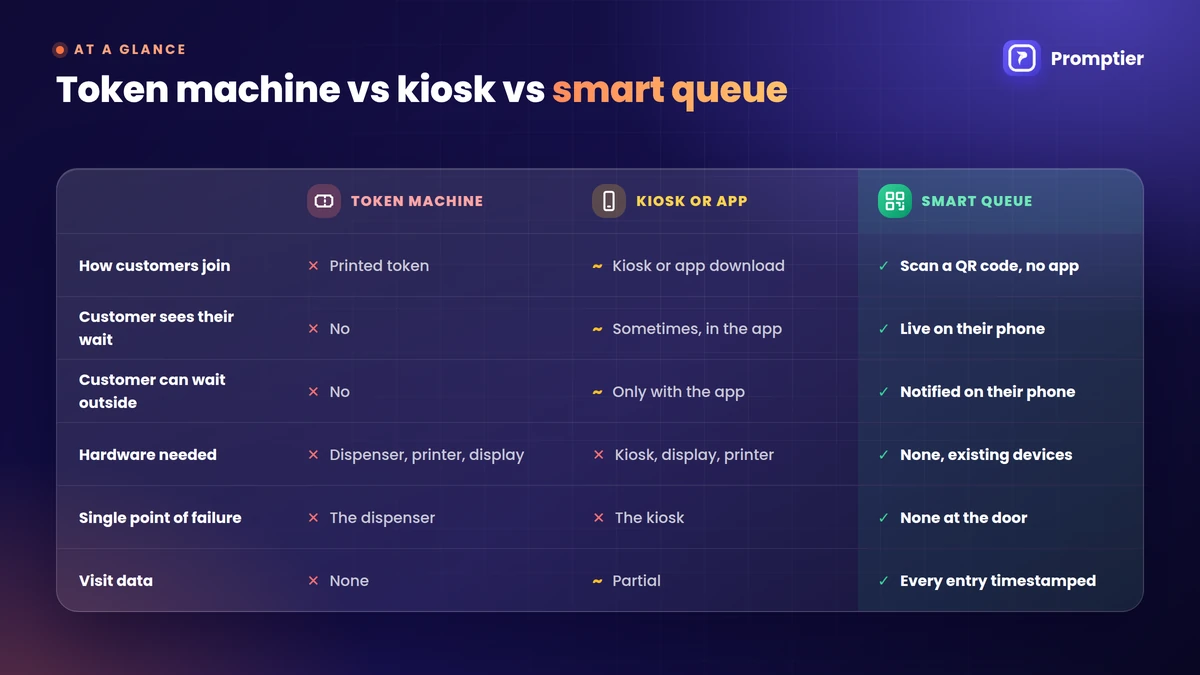
    Most small businesses that run on walk-ins — barbershops, clinics, restaurants, single-branch banks — still manage their line the same way they did a decade ago: a paper sign-in sheet, a token dispenser, or a staff member shouting “next.” Meanwhile, the customer standing in that line has a phone in their pocket that could tell them exactly how long the wait is, and let them wait somewhere other than the doorway. A queue management system is the software (and sometimes hardware) that closes that gap: it lets customers join a line remotely, see their position and estimated wait, get notified when it’s their turn, and gives the business a live view of demand instead of a guess.

    This guide is for owners and managers of small and growing service businesses — not enterprise IT buyers evaluating a bank-wide rollout. You’ll learn what a queue management system actually is, the real benefits it delivers, how it works end to end, the 8 features worth paying for, and the mistakes that turn a good idea into an ignored app nobody uses.

    The numbers back up why this matters. Customers report waiting as the single most frustrating part of visiting a business, and 86% say they’ll switch to a competitor after a bad wait experience. The global queue management system market is projected to grow from roughly USD 43.67 billion in 2026 to USD 77.13 billion by 2031, and Asia-Pacific — India included — is the fastest-growing region. The businesses adopting this early aren’t doing it for the technology. They’re doing it because a five-minute cut in wait time measurably brings customers back.

    Key Takeaways

    • A queue management system lets customers join a line remotely (QR code, link, or kiosk), see live wait estimates, and get notified when it’s their turn — instead of standing in a physical line.
    • 73% of customers say waiting is the most frustrating part of visiting a business, and 86% will switch providers after a bad wait experience, according to 2026 customer-waiting research.
    • You don’t need enterprise pricing to get enterprise-grade queuing. Small businesses can run a full digital queue — QR joining, SMS alerts, TV display, analytics — for a few hundred rupees a month, not a multi-lakh annual contract.
    • Real-time wait-time transparency reduces how long a wait feels by around 35%, even when the actual wait doesn’t change — perceived wait time matters as much as actual wait time.
    • A queue management system only pays off when it changes something operationally: staffing at peak hours, which services need more people, or which days need a second person at the counter. A digital queue nobody looks at is just a fancier paper list.

    What Is a Queue Management System?

    A queue management system is software (often paired with simple hardware like a TV display or kiosk) that lets customers join a line digitally, shows them a live wait estimate, notifies them when it’s their turn, and gives the business real-time and historical data on customer flow.

    At its core, every queue management system answers four questions for the customer: where am I in line, how long will it take, do I need to stand here, and how will I know when it’s my turn. And it answers a parallel set of questions for the business: how many people are waiting right now, which staff member should serve them, when are we about to get busy, and where in the process do people get frustrated or leave.

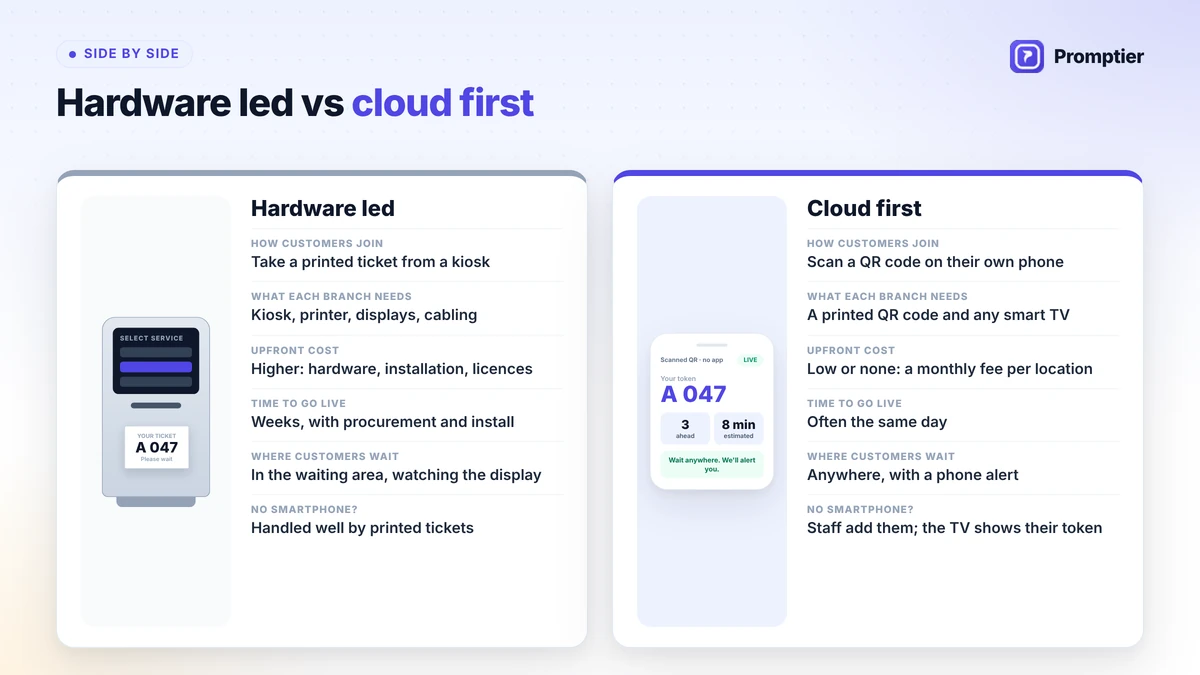
    Queue management systems break into two layers. The software layer includes online and walk-in queue joining, virtual queuing via QR code or SMS, automated wait-time estimates and notifications, staff-to-service assignment, and analytics on visits, no-shows, and peak hours. The hardware layer, which is optional for most small businesses, includes self-service kiosks, ticket printers, and TV or tablet displays showing “Now Serving.”

    The distinction that matters most for a small business is between a queue and a line. A line requires physical presence — you have to stand there to hold your place. A queue is just an ordered list of who’s next; it doesn’t require anyone to be standing anywhere. Digital queue management systems turn a line into a queue, which is the entire point: the customer’s time is freed up, and the business still serves people in the correct order.

    Key definitions you’ll see throughout this guide:

    • Actual wait time: the real, measured duration a customer waits before being served.
    • Perceived wait time: how long the wait feels to the customer — often longer or shorter than the actual time, depending on visibility and communication.
    • Virtual queue: a queue a customer joins remotely (QR code, link, SMS) and can wait through without being physically present.
    • No-show rate: the percentage of customers who join a queue or book an appointment and never arrive to be served.

    Why Queue Management Matters for Small and Growing Businesses

    Queue management matters because an unmanaged line is a silent source of lost customers — most of whom never complain, they just don’t come back. Small businesses that digitize their queue typically recover walk-aways, cut perceived wait time, and get their first real data on foot traffic.

    Consider what an abandoned queue actually costs a small business. Customers tolerate a wait of roughly 8 minutes on average before leaving, though the threshold varies by category — around 10 minutes in retail, 25 minutes at a salon or barbershop, and up to 20 minutes past an appointment time at a clinic. Every customer who leaves during that window isn’t a complaint you’ll hear; they’re a booking you’ll never see. Industry research puts the toll from wait-driven walkouts at tens of thousands of dollars a year for a mid-sized walk-in business, and 30% of customers who leave a queue don’t come back within 30 days.

    Queue data also settles disagreements that otherwise run on gut feeling. When a barbershop owner insists Saturdays “aren’t that busy” but the queue log shows a 22-minute average wait between 11 AM and 1 PM every single Saturday, the conversation about adding a second chair on weekends changes completely. That’s not a guess anymore, it’s a pattern.

    There’s an honest limitation here too: a queue system tells you that people are waiting and when, not always why. A growing wait time could mean you’re understaffed, a specific service is taking longer than scheduled, or you’re simply busier than you were three months ago and it’s a good problem to have. The system tells you where to look. It doesn’t replace looking.

    📊 Key Stat: Negative wait experiences generate roughly 2.5x more online reviews than positive ones. For a small, locally-searched business, that asymmetry means a handful of bad wait days can do outsized damage to a Google rating that took years to build.

    Key Benefits of a Queue Management System

    The primary benefit of a queue management system is a shorter, less frustrating wait — for the customer and the business alike — because appointments and walk-ins are scheduled around real demand instead of guesswork, with real-time notifications and displays cutting how long a wait feels by around 35%.

    Better resource allocation. Appointment scheduling built into the queue system means you know how many people to expect and when, instead of reacting to whoever walks through the door.

    Shorter actual wait times. Live tracking of who’s in line and how long each service takes surfaces bottlenecks — a specific chair, a specific counter, a specific time slot — that a paper list simply can’t show you.

    Less anxiety, more patience. SMS and push notifications tell customers exactly where they stand, and research shows 59% of customers will tolerate a longer wait if they’re getting progress updates along the way.

    Lower perceived wait time. A TV or lobby display showing live queue status makes the same 15-minute wait feel shorter, because uncertainty — not just duration — is what customers find frustrating.

    Freedom to wait anywhere. A mobile ticket or QR-based queue lets a customer run an errand, sit in their car, or grab a coffee instead of standing at your door. 67% of customers now prefer this kind of smartphone-based queuing over a physical line.

    Smarter staffing decisions. Real-time and historical queue data shows you exactly when your peak hours are, so you can schedule staff around demand instead of a fixed roster that’s wrong half the week.

    The right staff for the right customer. Matching a customer’s need to the staff member trained for it — a specific stylist, a specific doctor, a specific service counter — cuts down on re-routing and wasted time.

    A more personal experience. Recognizing repeat customers and their usual service or preferences, something a digital system can do automatically that a paper sheet never could.

    Visibility into what’s actually broken. Queue and no-show data expose exactly where customers drop off — a long gap before appointments, a specific day that’s chronically overbooked — long before it shows up in a bad review.

    DimensionWithout a Queue SystemWith Digital Queue Management
    Wait visibilityCustomer has no idea how long it’ll takeLive position and wait estimate on their phone
    StaffingFixed schedule regardless of demandStaffing adjusted to real peak-hour data
    No-showsUntracked, absorbed as “normal”Tracked, with reminders that reduce them
    Customer experienceStand in a physical lineWait anywhere, get notified when it’s time
    Business insightOwner’s gut feelingActual visit, wait-time, and peak-hour data

    💡 Pro Tip: If you can only start with one feature, start with SMS/push notifications. It’s the cheapest change to make and the one customers notice first — knowing they don’t have to watch the door is often the single biggest satisfaction driver in the whole system.

    How a Queue Management System Works: From Walk-In to Served

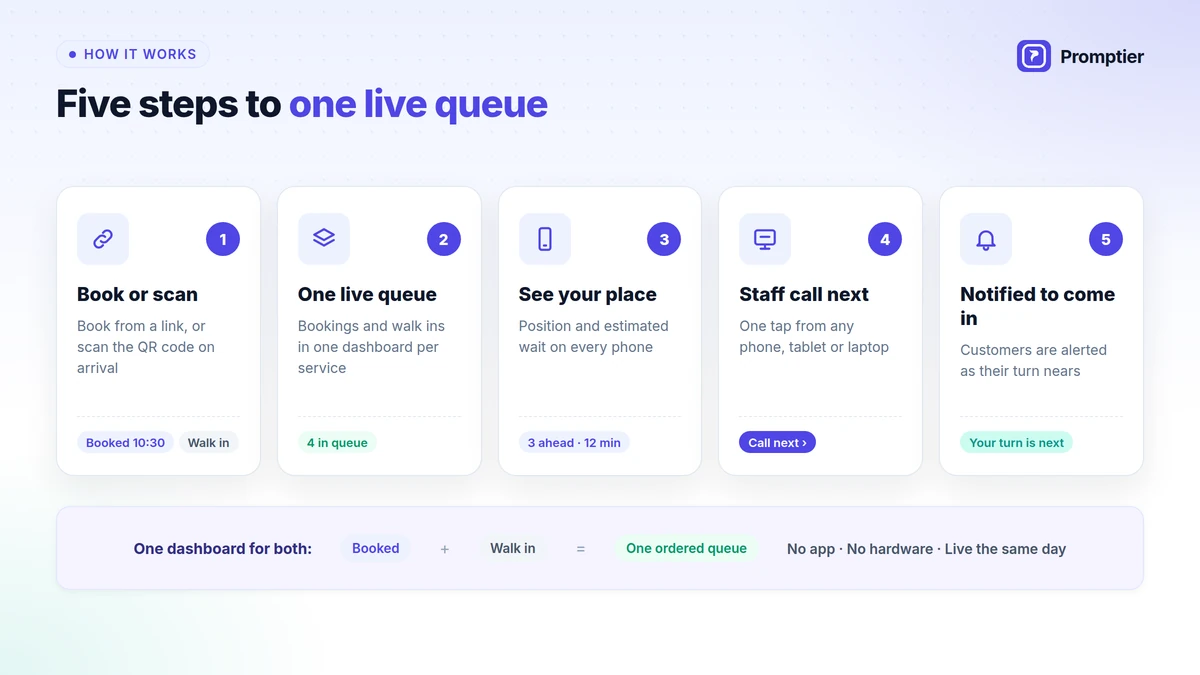
    A queue management system runs on a simple four-stage loop: a customer joins the queue (QR code, link, or walk-in), waits wherever they want while the system tracks their position, gets notified as their turn approaches, and is served — with every step logged for later analytics.

    Stage 1: Join

    Input: A customer arriving at your shop, or opening your booking link from home.

    Process: The customer scans a QR code at the door, taps a link, or is added to the queue by staff for a true walk-in. No app download is required — this single detail is what determines whether customers actually use the system or quietly ignore it.

    Output: A ticket with a queue position and an estimated wait time, visible instantly on the customer’s own phone.

    Stage 2: Wait

    Input: The ticket from Stage 1 and the current queue state.

    Process: The customer is free to leave the premises. The system recalculates their estimated wait continuously as the queue moves, based on real service times, not a fixed average.

    Output: A live, self-updating wait estimate the customer can check anytime, with no need to ask staff “how much longer.”

    Stage 3: Notify

    Input: The customer’s live position and your configured “heads-up” threshold (for example, notify at 3 people remaining).

    Process: An SMS or push notification fires automatically as their turn nears, giving them time to walk back without rushing or missing their slot.

    Output: A customer who arrives at the counter right when it’s their turn — not 15 minutes early, not after being skipped.

    Stage 4: Serve

    Input: The customer’s arrival and the staff member assigned to their service.

    Process: Staff calls the customer via the TV/lobby display or an in-app alert, and the visit is logged — service type, staff member, actual wait time, and duration.

    Output: A completed, timestamped visit record that feeds directly into your analytics dashboard.

    StageCadenceOwnerTypical Tooling
    JoinContinuousCustomer (self-service)QR code, booking link, staff-added walk-in
    WaitContinuousSystemLive queue position, wait estimate
    NotifyAutomated, threshold-basedSystemSMS / push notification
    ServePer visitStaffTV/lobby display, call-to-serve

    Best Practices for Implementing a Queue Management System

    The single most impactful practice is making joining the queue effortless — no app download, no account creation. A queue system customers find annoying to join gets abandoned in favor of just standing in line, which defeats the entire purpose.

    Remove every barrier to joining. Before: a system that requires downloading an app and creating an account, so only a fraction of walk-ins ever use it. After: a QR code or link that opens straight to the queue, no install required. Businesses that drop the app requirement see meaningfully higher queue adoption in the first week alone.

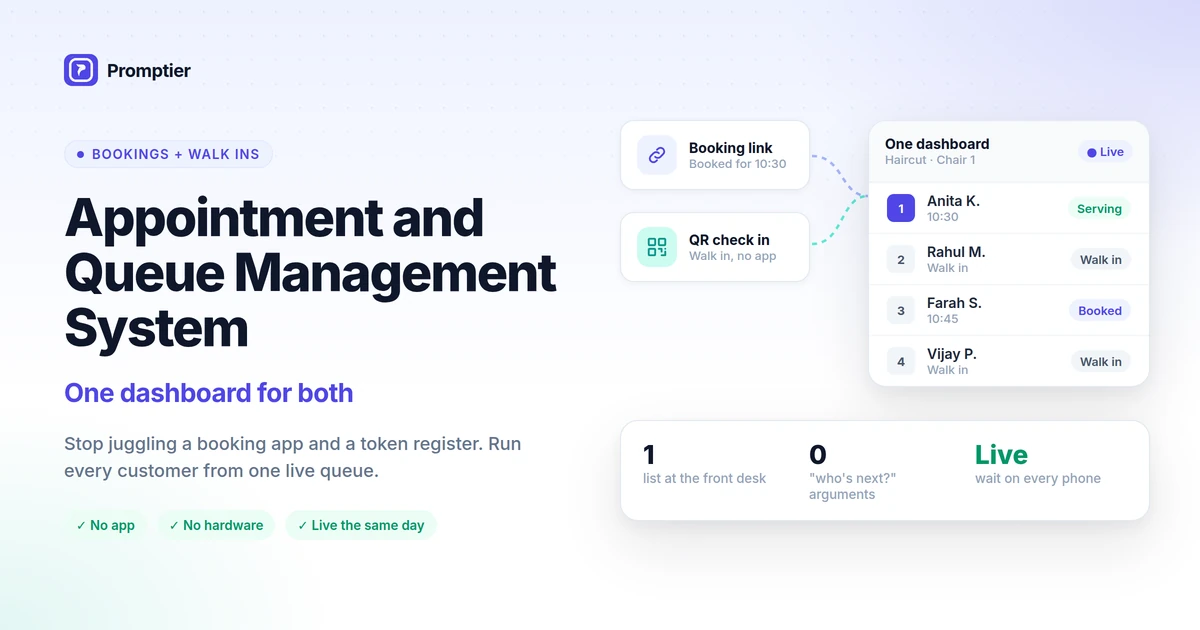
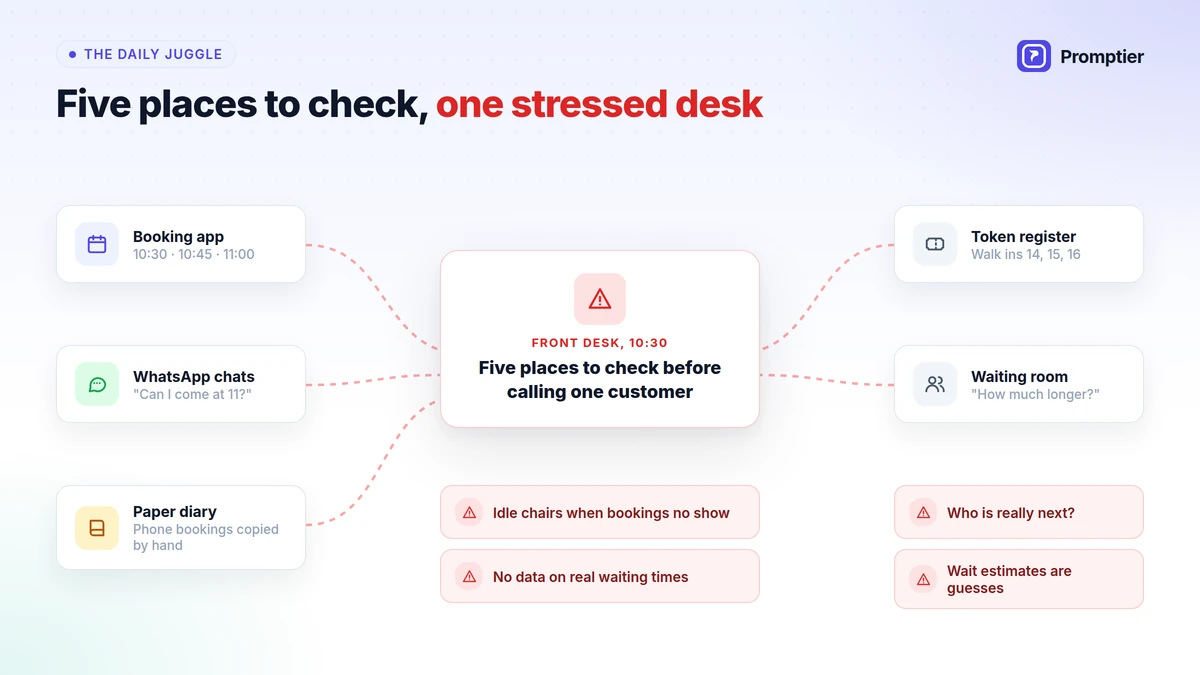
    Combine appointments and walk-ins in one queue. Before: appointment customers and walk-ins are managed on two separate systems, so staff can’t see the true picture of who’s waiting. After: both flow into a single queue view, so a walk-in isn’t accidentally served ahead of a booked appointment, or vice versa.

    Set a realistic notification threshold. Before: customers are notified only when it’s literally their turn, giving them no time to walk back. After: a “3 people ahead” heads-up notification, so customers arrive on time instead of scrambling.

    Segment by service type, not just by counter. Before: one blended queue hides the fact that a specific service (a haircut-and-color, a specialist consultation) is what’s actually driving long waits. After: service-level data shows exactly which offering needs a schedule adjustment.

    Put the display where customers can actually see it. Before: a queue status screen tucked behind the counter that only staff can see. After: a TV or tablet visible from the waiting area — visible progress is what lowers perceived wait time, not the software running in the background.

    Review the data monthly, not just when something breaks. Before: the analytics dashboard is opened only after a bad Google review. After: a 15-minute monthly look at peak hours, no-show rate, and average wait, so staffing decisions are proactive instead of reactive.

    ⚠️ Watch Out: The most common failure mode isn’t picking the wrong software. It’s picking the right software and never looking at the data it collects. If a quarter passes with no staffing or scheduling change traceable to your queue data, you’ve bought a nicer-looking token machine, not a queue management system.

    ConditionRecommended ActionExpected Outcome
    High walk-away rate during a known peak windowAdd staff or a second service point during that windowFewer walkouts without hiring full-time
    Customers confused about how to joinPut a large, visible QR code at the entrance and on the websiteHigher self-service queue adoption
    High no-show rate on booked appointmentsTurn on automated SMS reminders 24 hours and 1 hour beforeNo-shows typically drop noticeably within weeks
    One service consistently backs up the whole queueSegment that service into its own sub-queue or add a specialistOverall average wait time recovers

    Common Challenges and How to Solve Them

    The most common challenge is low adoption — customers defaulting back to standing in line because joining digitally felt like more effort than just waiting. Every other challenge is smaller than this one.

    Challenge: Customers Don’t Use It

    If the queue system requires an app download, an account, or more than a few taps, most walk-in customers will simply stand in line the old way. Solution: use a no-app, QR-code-or-link system, and put a physical sign at the entrance explaining it takes 10 seconds.

    Challenge: Staff Reverts to the Old Way During Busy Periods

    Under pressure, it’s tempting for staff to just call out names instead of using the system. Solution: make the digital call-to-serve faster than shouting — a one-tap “call next” button and an auto-updating TV display remove the friction that causes staff to skip it.

    Challenge: Data Looks Wrong or Inconsistent

    Manually added walk-ins, forgotten “mark as served” steps, and duplicate entries quietly corrupt your wait-time and staffing data. Solution: a short weekly habit of checking that every visit was properly closed out keeps the numbers trustworthy.

    Challenge: One Bad Day Skews the Averages

    A single unusually busy Saturday, or a day with a staff no-show, can make your monthly average wait time look far worse than a normal day actually is. Solution: look at the trend over several weeks, and note outlier days rather than reacting to any single day’s number.

    Challenge: No Time to Look at the Dashboard

    Owners running the counter themselves rarely have time to dig through analytics at the end of a long day. Solution: pick one number to check weekly — average wait time or no-show rate — instead of trying to review everything.

    Real-World Use Cases

    Small businesses that switch from paper or token queues to a digital system typically recover walk-aways within the first month and get their first real visibility into peak-hour staffing needs within a quarter.

    Independent barbershop, 3 chairs. Problem: Saturday walk-ins routinely backed up 25+ minutes, and the owner suspected — but couldn’t prove — that customers were leaving without saying anything. Intervention: switched from a paper sign-in sheet to a QR-code queue with SMS alerts, letting customers wait at the café next door. Outcome: queue data confirmed a consistent 11 AM–1 PM surge every Saturday; adding a part-time third chair during that window cut the average Saturday wait roughly in half, and no-shows for the newly added slot-based bookings stayed near zero because of automated reminders.

    Single-location dental clinic. Problem: patients frequently arrived on time only to sit in the waiting room 20+ minutes past their appointment, generating friction at check-in and a steady trickle of one-star reviews mentioning “long waits.” Intervention: moved to appointment-plus-walk-in queue management with a lobby display and SMS updates when the clinic was running behind. Outcome: patients reported feeling less frustrated even on days the actual wait didn’t change, because they could see their position and got proactive notice of delays — reflecting the same perceived-wait effect seen broadly in customer research.

    Small private bank branch. Problem: a single branch handling both quick transactions (passbook updates, cash deposits) and long ones (loan consultations) in one line meant a five-minute customer routinely waited behind a forty-minute one. Intervention: split the queue by service type, so quick transactions and consultations moved through separate lines feeding the same counters. Outcome: average wait time for routine transactions dropped sharply, and staff could see at a glance which service type was backing up and reassign a teller accordingly.

    💡 Pro Tip: All three examples share the same root fix: segmenting the queue by service type or time window. Before adding staff or hours, check whether your real problem is one specific bottleneck hiding inside a single blended line.

    8 Features to Look for in a Queue Management System

    No-app QR joining and real-time SMS notifications matter most for a small business, because adoption is the whole game — a feature-rich system nobody uses is worth less than a simple one everybody does.

    No-app, QR-code or link-based joining. Definition: customers join the queue by scanning a code or tapping a link, with no download or account required. Why it matters: this single feature determines whether customers actually use the system. Look for: a QR code you can print and place at the entrance, and a link you can add to your website or Google Business listing.

    Real-time wait estimates. Definition: a continuously updating estimate of how long a customer will wait, based on actual service times rather than a fixed average. Why it matters: uncertainty, not duration, is what customers find most frustrating. Look for: estimates that recalculate as the queue moves, not a static number set once.

    SMS and push notifications. Definition: automated alerts as a customer’s turn approaches. Why it matters: lets customers leave the premises and come back on time. Look for: a configurable “heads-up” threshold (e.g., notify at 3 people remaining).

    TV or lobby display. Definition: a visible screen showing live queue status and “now serving.” Why it matters: visible progress reduces perceived wait time even when actual wait time doesn’t change. Look for: a display mode that works on any spare TV or tablet, no special hardware required.

    Combined appointments and walk-ins. Definition: one system that manages both booked appointments and walk-in customers in a single, correctly-ordered queue. Why it matters: prevents walk-ins accidentally jumping ahead of (or blocking) booked customers. Look for: a shared calendar/queue view staff can see in real time.

    Staff and service matching. Definition: automatically routing a customer to the specific staff member or counter trained for their need. Why it matters: cuts re-routing and wasted trips to the wrong counter. Look for: the ability to link specific services to specific staff members.

    Analytics dashboard. Definition: reporting on visit volume, average wait time, peak hours, and no-show rate. Why it matters: this is what turns a queue app into a business decision tool instead of just a nicer waiting room. Look for: a dashboard simple enough to check weekly in under 15 minutes.

    Multi-branch and API readiness. Definition: the ability to manage more than one location from a single account, and connect to other tools as you grow. Why it matters: what works for one shop today should scale to three shops next year without switching vendors. Look for: a pricing tier and API access that grows with you rather than forcing a re-platform.

    FeatureWhat It DoesWhy It Matters for Small BusinessesLook For
    No-app QR/link joiningLets customers join without downloading anythingDetermines real-world adoptionPrintable QR code, shareable link
    Real-time wait estimatesContinuously updates expected waitReduces uncertainty and frustrationLive recalculation, not a fixed number
    SMS/push notificationsAlerts customers as their turn nearsFrees customers to leave the premisesConfigurable heads-up threshold
    TV/lobby displayShows live queue status publiclyLowers perceived wait timeWorks on any spare screen
    Appointments + walk-ins combinedOne queue for both booking typesPrevents order-of-service conflictsShared real-time queue view
    Staff/service matchingRoutes customers to the right personCuts wasted re-routingService-to-staff linking
    Analytics dashboardReports on wait time, volume, no-showsTurns data into staffing decisionsSimple weekly-review view
    Multi-branch/API readinessManages multiple locations, connects to other toolsScales with the businessTiered plans, API access

    Risks and Pitfalls

    The highest-severity risk is choosing a system built for enterprise buyers — heavy setup, per-kiosk hardware, long contracts — when what a small business actually needs is something a staff member can set up in an afternoon.

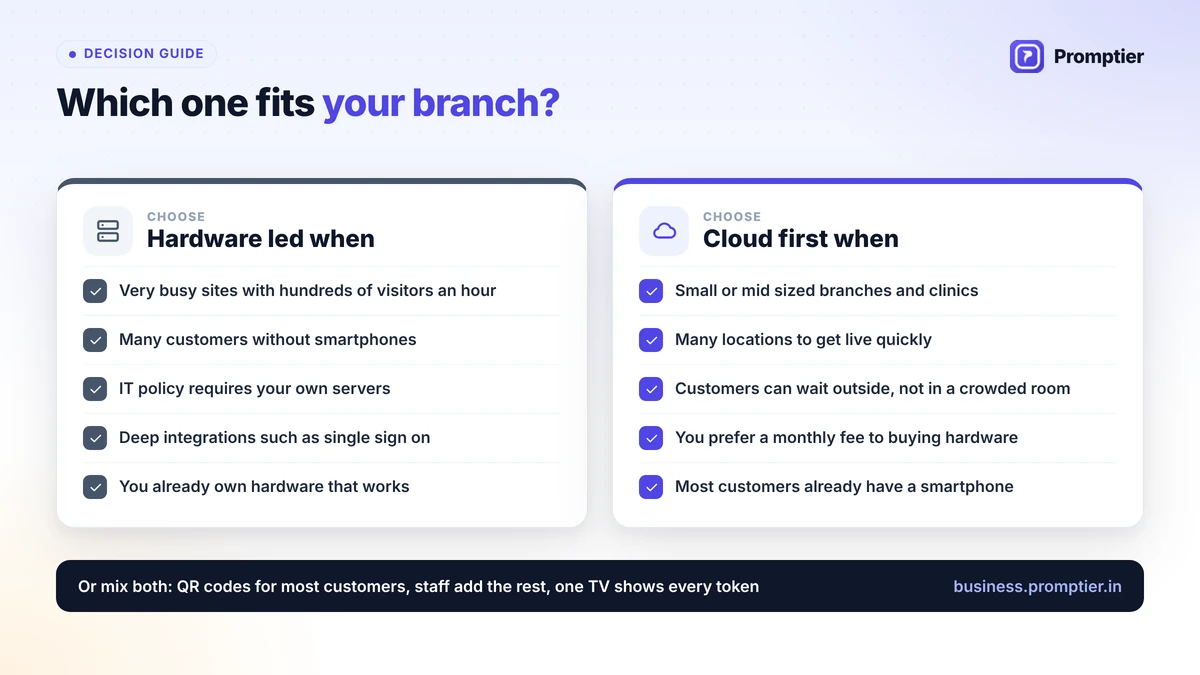
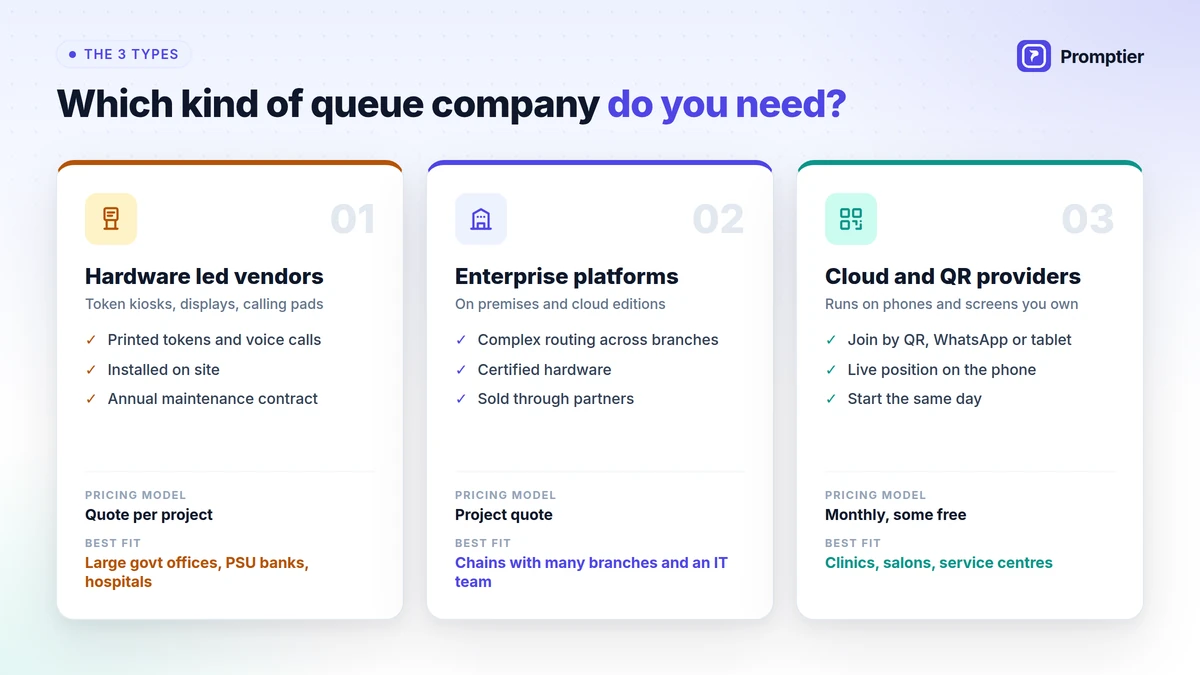
    Over-buying for your size. Enterprise queue platforms built for banks and hospitals often come with hardware requirements, implementation timelines, and pricing structured for a completely different scale of business. A single-location clinic or salon rarely needs any of that to get the core benefit: a shorter, less frustrating wait.

    Under-communicating the change. Switching from a familiar paper sign-in sheet to a QR code without explaining it clearly can confuse regular customers in the first week. A simple sign — “Scan here, skip the line” — with staff ready to help the first few times solves this quickly.

    Ignoring the data once it’s collected. A queue system that logs every visit but is never reviewed is a wasted investment. The value isn’t in the software running quietly in the background, it’s in the staffing and scheduling decisions it should be informing.

    Notification fatigue. Sending too many or poorly-timed alerts trains customers to ignore them, defeating the purpose. One well-timed “you’re next” notification beats three vague updates.

    Treating averages as gospel. A single unusually busy day, or a day with a staff absence, can distort a week’s average wait time. Look at trends over several weeks before making a staffing decision off one number.

    ⚠️ Watch Out: Don’t judge a queue management system by its feature list alone. Judge it by whether your actual customers — the ones who don’t want to fuss with technology — will actually use it without instructions. A system with fewer features that everyone uses beats a system with more features that half your customers ignore.

    Future Trends in Queue Management

    The most important near-term trend for small businesses is queue management shifting from a standalone app into something already built into the tools they use daily — Google Business Profile, WhatsApp, and payment apps — lowering the barrier to adoption even further.

    Queue joining inside tools customers already use. Instead of a separate app or even a dedicated link, customers increasingly join queues directly from a Google Business Profile listing, a WhatsApp message, or a QR code scanned with their default camera app. Every extra step removed increases adoption.

    AI-assisted wait-time prediction. As more visit history accumulates, systems can forecast wait times more accurately than a simple running average, accounting for day-of-week, weather, and seasonal patterns — genuinely useful for a business with a strong weekend or festival-season pattern.

    Queue data feeding staffing tools directly. Rather than an owner manually reviewing a dashboard and then adjusting the roster, queue and staffing tools are starting to connect directly, suggesting shift changes based on the same peak-hour data the queue system already collects.

    Omnichannel becoming the default, even for small businesses. The gap between “enterprise queue management” and “small business queue management” is narrowing fast. The market itself is projected to grow from roughly USD 43.67 billion in 2026 to USD 77.13 billion by 2031, with Asia-Pacific — including India — the fastest-growing region, driven in large part by affordable, cloud-based tools reaching businesses that could never have justified an enterprise system before.

    Frequently Asked Questions

    What is the best queue management system for a small business?

    The best system for a small business isn’t necessarily the one with the most features — it’s the one your customers will actually use without instructions. Look for no-app QR or link-based joining, real-time SMS notifications, and simple, affordable pricing over enterprise-grade hardware and long contracts you don’t need at a single-location scale.

    How much does a queue management system cost?

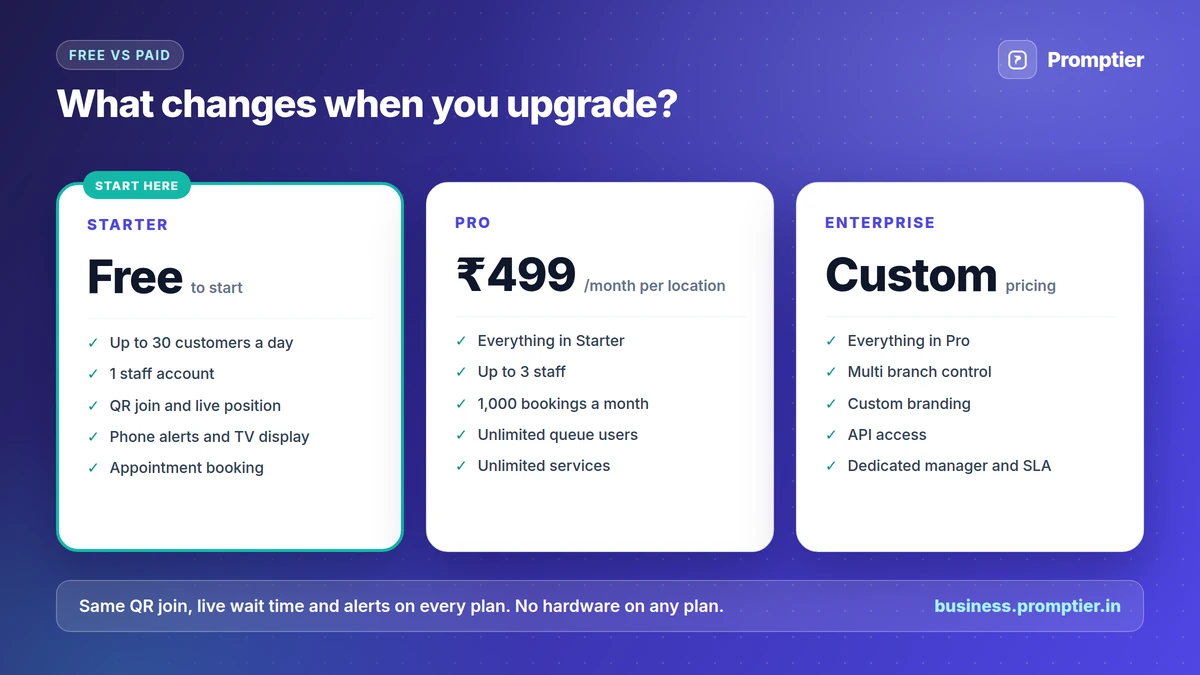
    Pricing ranges enormously, from free basic tools to enterprise platforms costing lakhs annually with dedicated hardware. Small business-focused platforms typically offer a free trial tier for low daily volume and a paid tier — often a few hundred rupees a month — that unlocks unlimited customers, SMS notifications, a TV display, and analytics, which covers what most single-location businesses need.

    Do customers actually use QR code queues, or do they prefer to just wait in line?

    Adoption depends almost entirely on friction. Research shows 67% of customers now prefer smartphone-based queuing when it doesn’t require an app download or account creation. The moment a system asks for an install, adoption drops sharply — that’s why no-app joining is the single most important feature to prioritize.

    What’s the difference between actual wait time and perceived wait time, and why does it matter?

    Actual wait time is the real, measured duration. Perceived wait time is how long it feels, and it’s driven mostly by uncertainty — not knowing how long is left. Real-time transparency, through a visible display or live notifications, can reduce how long a wait feels by around 35% without changing the actual wait at all. For a small business, this is often the cheapest improvement available: you don’t need to serve faster, you need to communicate better.

    Can a queue management system also handle appointments, or is it only for walk-ins?

    Modern queue management systems typically handle both in a single view, which matters because most walk-in businesses — clinics, salons, banks — serve a mix of booked and unbooked customers. A system that only manages one or the other forces staff to juggle two separate tools, which is where errors and double-bookings creep in.

    How long does it take to set up a queue management system for a small business?

    For a single-location business using a cloud-based, no-hardware-required system, setup is typically a same-day process: creating an account, configuring services and staff, printing a QR code, and briefly training staff on the call-to-serve step. Enterprise systems with kiosks and dedicated hardware take considerably longer.

    Will a queue management system reduce no-shows for appointments?

    Yes, in most cases. Automated SMS reminders sent 24 hours and again 1 hour before an appointment are one of the most reliable, low-effort ways to reduce no-shows, since a large share of missed appointments come down to simple forgetting rather than a deliberate decision not to show up.

    Conclusion

    The small businesses getting the most out of queue management aren’t the ones with the most expensive hardware or the longest feature list. They’re the ones that removed friction from joining, made the wait visible instead of invisible, and actually looked at what the data showed them about their own peak hours. A queue system nobody opens after setup is just a nicer-looking token machine.

    The tension is real: customers want speed, but speed alone isn’t the whole answer — a visible, well-communicated wait can feel shorter than a faster but silent one. Pairing real-time notifications and displays with genuine operational changes, like staffing your actual peak hours instead of a fixed roster, is how a small business gets the full benefit.

    If you’re running a walk-in business and ready to replace the paper list or token machine, explore how Promptier turns your line into a no-app, QR-based digital queue — with SMS notifications, a TV display, and analytics built in — so you get the data and your customers get their time back.